whatsapp automation panama
WhatsApp Automation Panama
WhatsApp automation in Panama helps businesses reply faster, qualify leads, collect booking details, send reminders, update a CRM or sheet, and hand the right conversations to a person. It is useful when WhatsApp is where customers already ask about appointments, availability, prices, property viewings, clinic visits, repairs, tours, or next steps. The goal is not to make WhatsApp robotic. The goal is to stop warm leads going cold while your team is busy.
Visitor path
Turn WhatsApp research into a build path
If WhatsApp is where your leads start, connect this page to the system overview, the broader AI services hub, or a starter product.
Worked example
A local WhatsApp enquiry with context
Illustrative workflow to review with your team; not a client result.
From request to action
- TriggerA service enquiry arrives in Spanish or English.
- Required informationRetain language preference, service interest, desired timing and the approved information used to answer. Ask only the next useful question.
- Rule and ownerCreate an owned follow-up task in the agreed destination and let staff take over when the request exceeds the approved answer set.
Example record
Message record: language; service; timing; reply context; owner; next action; state: awaiting staff or customer.
The provider setup and connected tools must be tested for the business's actual account.
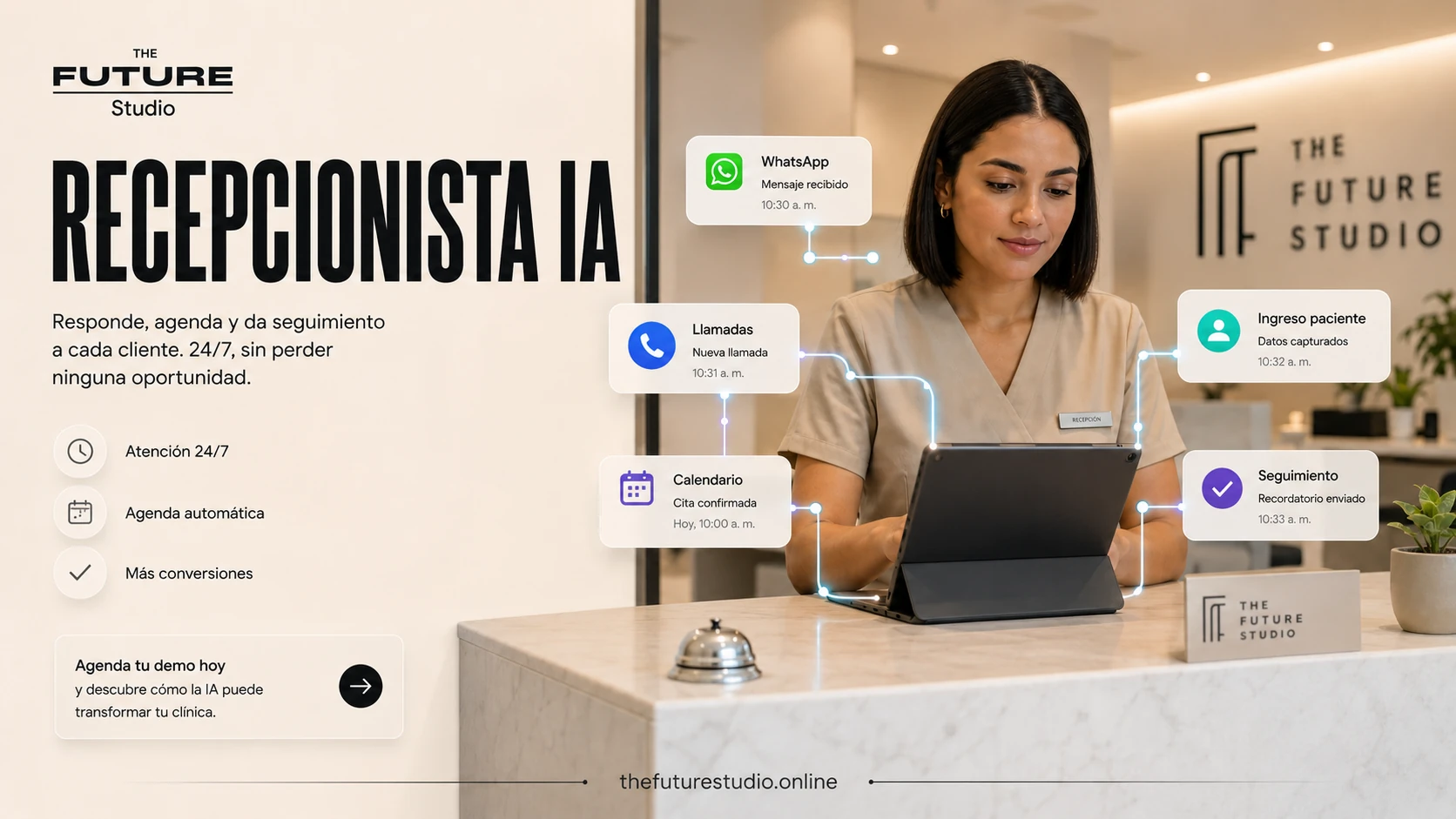
Reply before leads cool
WhatsApp automation should make the first response faster while keeping handoff rules clear for human support.
Context
Why WhatsApp Is Central for Many Panama Businesses
In Panama, WhatsApp is often used before email, before a form, and sometimes before a phone call. Customers expect quick answers, especially when the request is simple: price range, availability, directions, appointment times, documents needed, booking links, or next steps.
This matters because WhatsApp conversations are usually high-intent. Someone who sends a message is often closer to booking, buying, visiting, or asking for help than someone casually browsing a website.
But WhatsApp can become messy fast. One phone number may receive sales inquiries, support questions, supplier messages, appointment changes, and internal team notes. If two staff members are answering at different times, the customer experience becomes inconsistent.
A WhatsApp AI agent for business can organize the first part of the conversation. It can reply quickly, ask relevant questions, identify the type of inquiry, collect details, and send the right information to the team.
Workflow
What WhatsApp Automation in Panama Can and Cannot Do
WhatsApp automation can help with first response, FAQs, lead qualification, appointment requests, reminders, follow-up, links, forms, internal notifications, and conversation summaries.
It can also support bilingual replies in English and Spanish, which is useful for Panama businesses serving local residents, expats, tourists, investors, and international clients.
What it should not do is pretend to be a qualified professional. A whatsapp chatbot panama should not diagnose a patient, provide therapy advice, give legal opinions, approve financial decisions, or make promises your business has not approved.
It should also avoid guessing. If the answer is unknown, the system should say so and hand the conversation to a person.
A good WhatsApp automation system has boundaries. It knows what questions it can answer, what details it needs to collect, and when to escalate.
Workflow
Example Workflows for Panama Businesses
Different businesses need different flows. The best chatbot whatsapp panama setup is built around the actual customer journey.
Clinics
A clinic can use WhatsApp automation to answer basic administrative questions, collect appointment requests, confirm preferred times, send preparation instructions, and remind patients about upcoming visits.
The system should not handle diagnosis, treatment recommendations, emergencies, or clinical judgment. It should clearly route urgent or sensitive issues to staff.
Real estate teams
A real estate team can qualify buyers and renters by asking about budget, location, property type, timeline, financing status, and preferred viewing times.
The system can then send a summary to the agent, update a lead pipeline, and schedule a viewing request. This keeps agents from repeating basic questions manually.
Hospitality and tourism
Hotels, tour operators, transportation services, and hospitality businesses can use WhatsApp automation to answer questions about availability, check-in details, tour times, pickup locations, cancellation policies, and booking steps.
For international customers, bilingual communication can reduce confusion before arrival.
Restaurants
Restaurants can use automation to share menus, answer reservation questions, collect party size and preferred times, send directions, and route private event inquiries to a manager.
The system should be careful with complex dietary or allergy questions and hand those to staff when needed.
Med spas and wellness businesses
A med spa can collect service interest, preferred dates, contact details, and consultation requests. It can explain administrative details, but it should avoid medical claims or suitability advice unless approved by qualified staff.
Home services
A repair, cleaning, maintenance, or installation business can ask for service type, location, urgency, photos, access notes, and preferred visit times. The system can then assign the request or send it to a dispatcher.
Professional offices
Law firms, accountants, consultants, and agencies can use WhatsApp automation to collect basic inquiry details and route the lead to the right person. Sensitive questions should be escalated rather than answered automatically.
Workflow
Bilingual English and Spanish Replies
Bilingual communication is one of the strongest use cases for WhatsApp automation for small business in Panama.
A well-designed system can detect the customer’s language or ask their preference. It can respond in English or Spanish using approved wording, not improvised translations. This helps businesses maintain a consistent tone while serving different customer groups.
The system should also handle mixed-language conversations. Many customers in Panama switch between English and Spanish in the same chat. A good workflow should be flexible enough to keep the conversation clear.
Workflow
Human Handoff Rules
Human handoff is not a backup feature. It is part of the design.
The AI should hand off when the customer asks for a person, becomes frustrated, asks a sensitive question, reports an urgent issue, requests a discount or exception, asks for professional advice, or reaches a point where staff approval is required.
Meta’s current Business Agent materials also emphasize that businesses can tell the AI when to hand off chats, which reflects how important escalation is for customer-facing automation.
A useful handoff includes a summary. The staff member should see who the customer is, what they asked, what information was collected, and what the next step should be.
Workflow
Mistakes to Avoid With WhatsApp Automation
The first mistake is using generic bot replies. Customers do not want to feel like they are fighting a menu. They want a useful answer.
The second mistake is over-automation. Not every message should be handled by AI. Complex, emotional, urgent, regulated, or high-value conversations may need a human quickly.
The third mistake is failing to write approved scripts. If your AI does not know your services, policies, prices, hours, locations, and escalation rules, it may give vague or inaccurate answers.
The fourth mistake is ignoring WhatsApp platform rules. Businesses using the WhatsApp Business Platform need to understand message templates, categories, and communication policies. Meta’s documentation separates template-based messages into categories such as marketing, utility, and authentication.
The fifth mistake is not tracking outcomes. You should know how many conversations started, how many were qualified, how many booked, how many required handoff, and where customers dropped off.
Workflow
How The Future Studio Builds WhatsApp Systems
The Future Studio builds WhatsApp automation around the business process, not just the chat window.
We start by mapping the types of messages your business receives. Then we define the main workflows: first response, FAQ answers, intake questions, booking steps, follow-up, human handoff, and internal updates.
From there, we create approved scripts in English, Spanish, or both. We build the logic for lead qualification, appointment requests, CRM or spreadsheet updates, team notifications, and reporting.
For some businesses, WhatsApp is connected to a larger system that includes the website, booking agent, voice agent, lead pipeline, AI content support, or internal dashboard.
The goal is simple: help your team reply faster, stay organized, and give customers a clearer path to the next step.
What is the best first WhatsApp automation for a Panama business?
The best first WhatsApp automation for a Panama business is usually lead intake plus human handoff: reply quickly, qualify the customer need, send the right booking or next-step link, and alert a person when the message involves pricing, complaints, custom requests, or a ready-to-buy lead.
High-value workflows
- AI replies for new leads, qualification, and routing.
- Appointment request collection and reminder messages.
- Quote request intake for service businesses.
- Follow-up when a prospect goes quiet.
What makes it safe
- Approved answer boundaries and bilingual scripts.
- Clear human agent handoff for pricing, complaints, urgent requests, custom cases, or sales conversations.
- CRM, sheet, or inbox logging so no message disappears.
- Measurement by response time, qualified leads, booked calls, and recovered conversations.
FAQ
Common questions
What is WhatsApp automation?
WhatsApp automation uses rules, AI agents, and connected workflows to respond to messages, answer common questions, collect information, qualify leads, send reminders, and route conversations to staff.
What is the best first WhatsApp automation for a Panama business?
The best first workflow is usually lead intake plus human handoff: reply quickly, qualify the customer need, send the right booking or next-step link, and alert a person when the message involves pricing, complaints, custom requests, or a ready-to-buy lead.
Is a WhatsApp chatbot the same as a WhatsApp AI agent?
Not always. A chatbot may follow fixed rules or menu paths. A WhatsApp AI agent can understand natural language, ask follow-up questions, summarize conversations, and follow business rules. Both still need clear limits.
Can WhatsApp automation book appointments?
Yes. It can collect appointment details, share booking links, check availability if integrated with a calendar, send reminders, and route special cases to staff.
Can WhatsApp automation work in English and Spanish?
Yes. A bilingual system can respond in English or Spanish using approved scripts. This is especially useful for Panama businesses serving local and international customers.
Will customers know they are speaking with AI?
Businesses should be transparent when automation is involved. Customers should also have a clear path to a human when needed.
What should not be automated on WhatsApp?
Do not automate medical advice, legal advice, therapy guidance, regulated decisions, emergencies, sensitive complaints, or anything that requires trained human judgment.
Related pages
Explore related AI systems
Support guides
Read the practical automation guides
WhatsApp automation guides
Turn WhatsApp conversations into workflows
Next step
Map the first workflow before you build
Book a free AI systems demo with The Future Studio. We will map your WhatsApp workflow and identify the first automation that can improve response time, lead qualification, booking, or follow-up.