ai automation for home services
AI Automation for Home Services
AI automation for home services helps companies respond to missed calls, quote requests, WhatsApp messages, website forms, photos, scheduling needs, dispatch details, and follow-up. It is useful for contractors, cleaning, repairs, HVAC, plumbing, landscaping, and other service teams that lose revenue when leads wait too long.
Home-service intake route
Turn the first message into a usable job brief
Start with one service category, quote request, missed call, or scheduling path and define what a dispatcher needs before assignment.
Worked example
A dispatch-ready job brief
Illustrative workflow to review with your team; not a client result.
From request to action
- TriggerA customer asks for a visit to investigate a household problem.
- Required informationCapture service category, service address, preferred time, optional photos and access constraints, using only the information needed to route the job.
- Rule and ownerSend the brief to dispatch. A technician or estimator reviews technical questions, service eligibility and the quote before any promise is made.
Example record
Job brief: service; address; requested time; access note; photos supplied: yes/no; dispatch owner; quote review: pending.
Photos and automation do not replace technical diagnosis or staff-approved pricing.
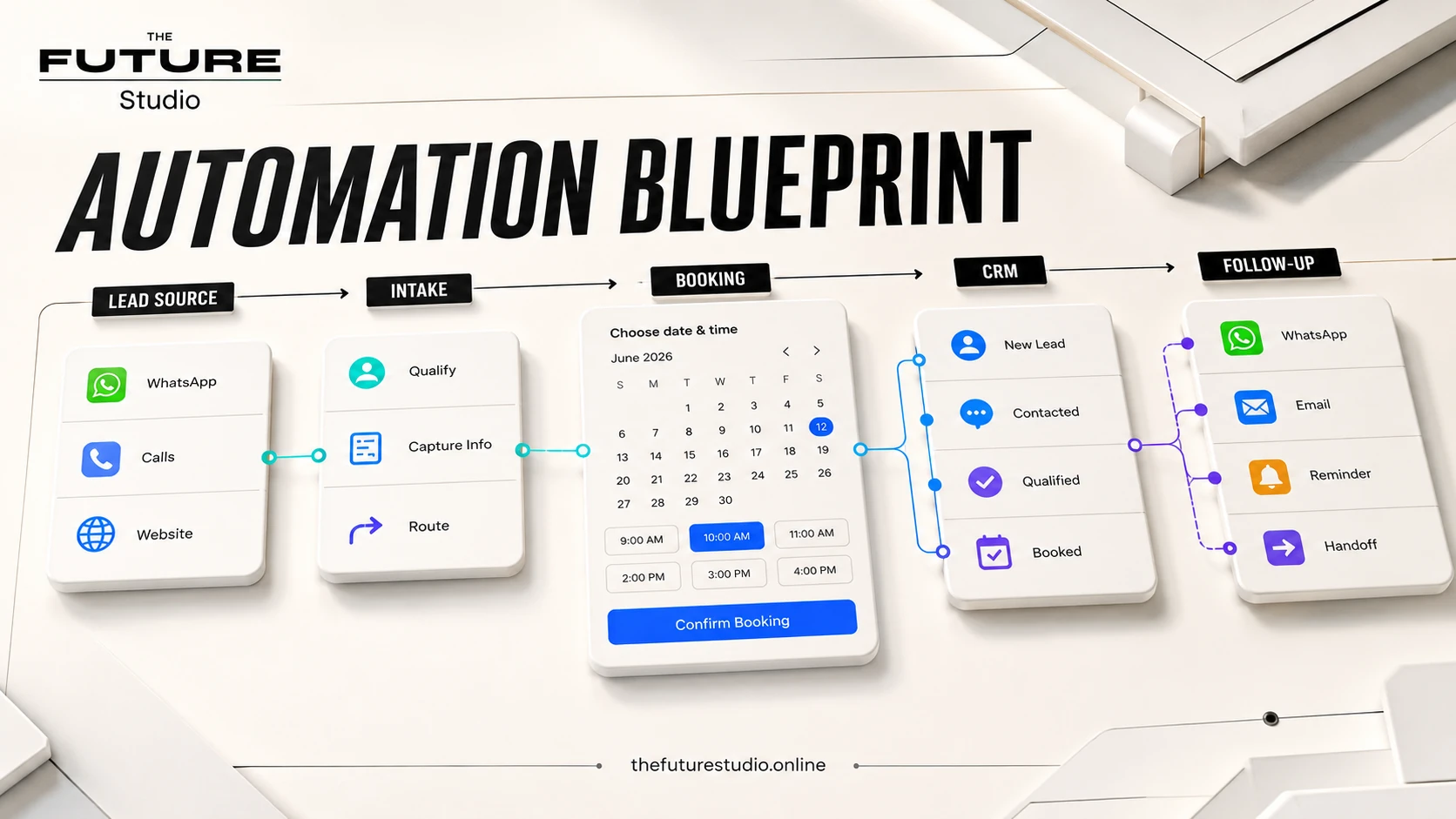
Turn job details into a dispatch-ready handoff
A home-service workflow can collect service type, location, access details, photos, and preferred timing before a dispatcher or technician reviews the job.
Use cases
From first message to a cleaner job brief
Home service teams can use AI to collect service type, location, photos, urgency, property access details, preferred time, and contact information.
The system can send approved next steps, route urgent jobs, create internal summaries, and update a spreadsheet, CRM, or dispatcher view.
It can also follow up on quotes, remind customers, and keep leads from getting buried in calls or WhatsApp.
Boundaries
Keep safety, diagnosis, and final price with staff
Home service AI should not provide unsafe repair instructions, diagnose dangerous conditions, promise final pricing, or approve exceptions without staff review.
Gas, electrical, flooding, security, injury, and urgent hazards should route to a person or the company approved emergency process.
Quotes should use approved ranges or clearly state that staff must confirm final pricing.
Panama and bilingual workflows
Capture job details across calls and WhatsApp
Home service businesses in Panama often rely on calls, WhatsApp, photos, location details, and fast scheduling.
A bilingual intake workflow can help customers explain the job and give the team enough detail to respond well.
The Future Studio builds the workflow around the actual service categories, dispatch process, and follow-up rules.
Build path
Start with one service category and one dispatch path
Start with missed calls, quote intake, WhatsApp photos, or scheduling requests.
Define required fields, urgency rules, staff alerts, quote language, and dispatch handoff.
Then expand into reminders, quote follow-up, review requests, and service dashboards.
FAQ
Questions about home-service lead intake
Which home-service requests are good first candidates?
Start with quote requests, missed calls, service type, location, photos, access details, preferred timing, reminders, and quote follow-up using approved questions and routing rules.
Can AI diagnose a problem or promise a final price?
No. It should not provide unsafe repair instructions, diagnose dangerous conditions, approve exceptions, or promise final pricing. A dispatcher or technician should review the job.
Can calls, photos, and WhatsApp feed one dispatch view?
Yes. The workflow can preserve the source, service type, location, photos, access details, urgency, preferred time, and next staff owner in one job brief.
What should a dispatcher review before assigning a job?
The company can define the minimum brief, such as service category, address or service area, access notes, photos, urgency, preferred timing, contact details, and whether a quote needs staff confirmation.
Related pages
Explore related systems and industries
Next step
Map the first workflow before you build
Book a free AI systems demo with The Future Studio. We will map where requests arrive, what staff need, and which first automation can reduce admin pressure without taking control away from people.