ai automation for clinics
AI Automation for Clinics
AI automation for clinics helps front desk teams handle the repetitive administrative work around intake, appointment requests, reminders, missed calls, WhatsApp messages, and follow-up. The goal is not to replace medical staff or clinical judgment. The goal is to give patients and clients a faster first response while giving the clinic team cleaner information before they step in.
Clinic workflow
Connect the first front desk workflow
Start with the channel where the clinic is losing the most time: calls, WhatsApp, website forms, booking requests, reminders, or lead follow-up.
Worked example
Choose one reception workflow
Illustrative workflow to review with your team; not a client result.
From request to action
- TriggerA clinic has several administrative bottlenecks.
- Required informationMissed calls need a callback owner; new enquiries need minimum intake; booking needs an authoritative calendar; reminders need confirmed appointment state.
- Rule and ownerStart with the job that has an accountable owner and reliable inputs. Link specialist workflows after the first task can be tested end to end.
Example record
Reception summary: request type; preferred contact; language; appointment state; assigned staff member; next action.
Administrative automation does not provide diagnosis, treatment or clinical triage.
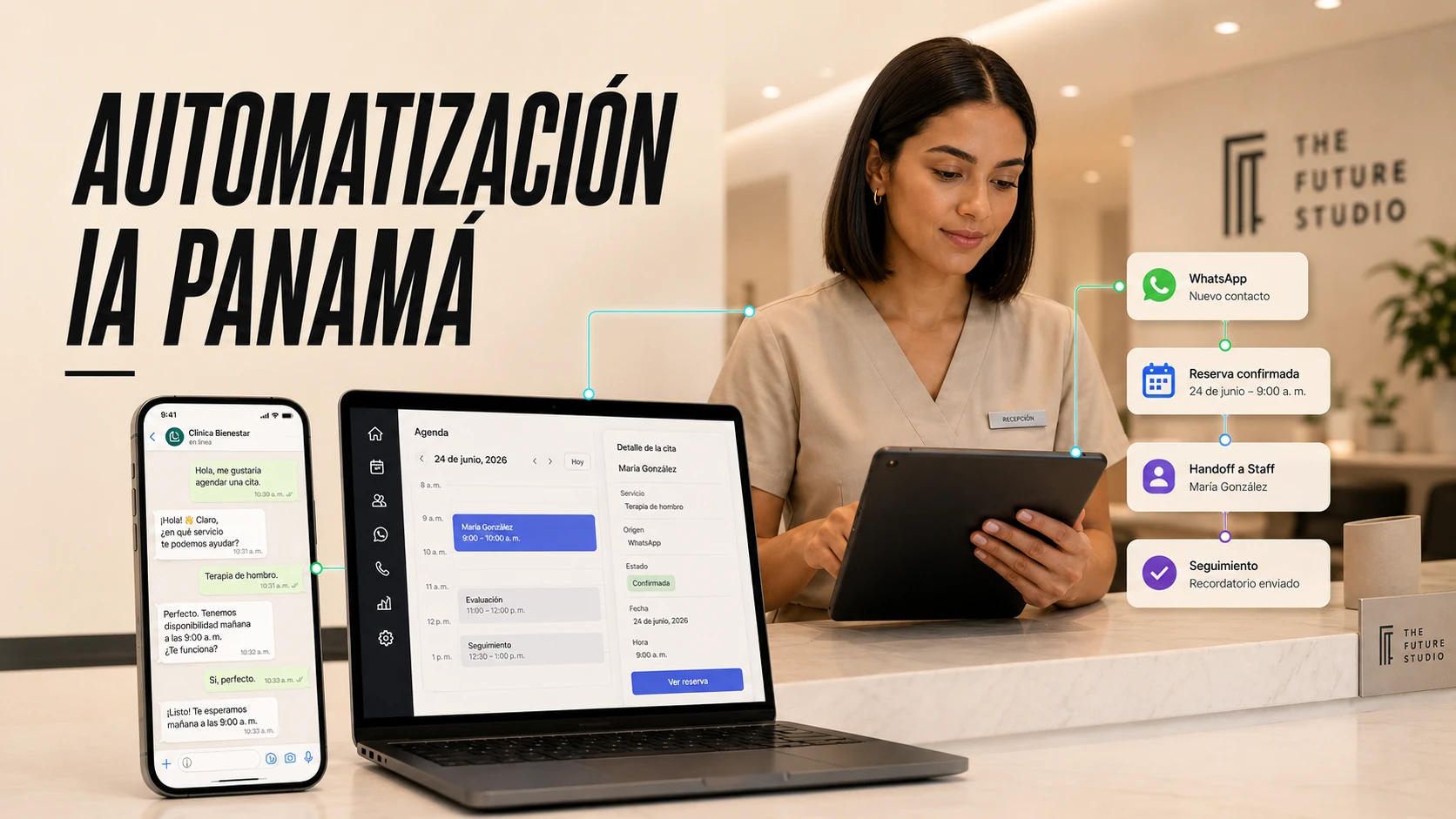
Built for clinic administration
The safest clinic automations support intake, scheduling, routing, and reminders while sensitive decisions stay with people.
Use cases
What Clinic AI Automation Can Handle
A clinic automation system can collect basic contact details, appointment type, preferred location, preferred time, new or returning patient status, and the reason for the request when that information is appropriate for the workflow.
It can answer approved administrative questions about hours, locations, services, preparation instructions, policies, next steps, and how the clinic will follow up.
It can also send reminders, route urgent or unclear conversations to staff, summarize the inquiry, update a spreadsheet or CRM, and show clinic leaders where inquiries are coming from.
Boundaries
What Clinic AI Should Not Do
Clinic automation should not diagnose, recommend treatment, assess risk, provide therapy, approve clinical exceptions, or replace licensed staff.
A strong workflow tells the AI what it can answer, what it should collect, what it should not collect, and exactly when it should stop and route the conversation to a person.
That boundary is especially important for therapy clinics, dental concerns, medical spas, urgent symptoms, insurance questions, and any conversation involving sensitive personal information.
Panama and bilingual workflows
AI Automation for Clinics in Panama
Clinics in Panama often need bilingual communication, WhatsApp-first intake, fast appointment routing, and clear handoff between reception, practitioners, and administrators.
The Future Studio builds clinic systems around the real front desk process. We map the first inquiry, approved answers, booking rules, escalation points, and the internal summary staff need before they respond.
The result should feel practical: fewer missed inquiries, faster first responses, cleaner intake, better visibility, and clear human control over sensitive conversations.
Build path
How We Start a Clinic AI Build
We start with one workflow, not the whole clinic. That may be after-hours calls, new patient intake, appointment requests, WhatsApp follow-up, reminders, or a lead review dashboard.
Then we define approved scripts, FAQs, escalation rules, data fields, channels, integrations, and test cases before the automation is exposed to patients or clients.
Once the first workflow works, it can expand into voice, WhatsApp, website chat, booking, reminders, lead pipeline automation, dashboards, and team training.
What clinic workflow should AI automate first?
Most clinics should start with a front-desk workflow: missed calls, WhatsApp inquiries, intake questions, appointment requests, reminders, or follow-up. AI is most useful when it reduces repetitive admin and gives staff cleaner information before they respond.
Strong first use cases
- New patient inquiry capture and routing.
- Appointment reminders and no-show reduction.
- After-hours response and callback collection.
- Follow-up after consultations or missed bookings.
What stays human
- Clinical judgment, diagnosis, and treatment advice.
- Emergency or high-risk language.
- Insurance, billing, or policy exceptions that need staff review.
- Complaints, sensitive situations, and anything outside approved scripts.
FAQ
Common questions
What can AI automation do for a clinic?
It can support administrative workflows such as intake, appointment requests, reminders, approved FAQs, WhatsApp replies, missed call routing, summaries, and staff alerts.
Can AI book clinic appointments?
Yes, when the booking rules are clear and tested. Some requests can be booked automatically, while others should be sent to staff for approval.
Can this work for therapy clinics?
Yes, but it should be limited to administrative support and strict handoff. It should not provide therapy, assess risk, or replace licensed professionals.
Does this replace the front desk?
No. The practical goal is to reduce repetitive admin, improve response speed, and give staff better information before they take over.
Related pages
Explore related AI systems
Support guides
Read the practical automation guides
Clinic operations guides
Build the clinic automation cluster
Next step
Map the first clinic workflow
Book a free AI systems demo with The Future Studio. We will map where inquiries arrive, what staff need, and which first clinic automation can reduce admin pressure without taking sensitive decisions away from people.