therapist intake system
AI Receptionist for Therapists
An AI receptionist for therapists should reduce admin pressure without pretending to provide therapy. The right system replies quickly, collects safe intake details, routes sensitive messages to a person, and keeps bookings moving.
What should an AI receptionist for therapists do?
An AI receptionist for therapists should handle safe administrative intake, appointment requests, reminders, and after-hours replies. It should not answer therapy questions, assess risk, diagnose, or replace a licensed professional. Sensitive or urgent messages should be routed to a person immediately.
Use it for admin
- New inquiry replies and appointment requests.
- Safe intake details such as contact route, preferred time, and new or returning client status.
- Reminder and follow-up workflows after staff approval.
Hand off immediately
- Crisis language, self-harm, abuse, or urgent symptoms.
- Medication, diagnosis, risk assessment, or therapy guidance.
- Any message that needs a licensed professional's judgment.
Choose the right workflow
Move from inquiry to a safe next step
Start with the administrative path creating the most pressure: new-client intake, appointment requests, missed inquiries, reminders, or staff handoff.
Worked example
A private appointment request
Illustrative workflow to review with your team; not a client result.
From request to action
- TriggerSomeone asks about availability with a therapist.
- Required informationCollect preferred practitioner, contact route, suitable times and waitlist preference without requesting a detailed account of their situation in chat.
- Rule and ownerRoute the request to the practice's administrative owner. Use approved instructions for urgent language and do not imply continuous monitoring.
Example record
Request: appointment; practitioner: preferred/any; waitlist: requested; contact preference; owner: administration.
Therapy, risk assessment and crisis support remain outside the receptionist's administrative role.
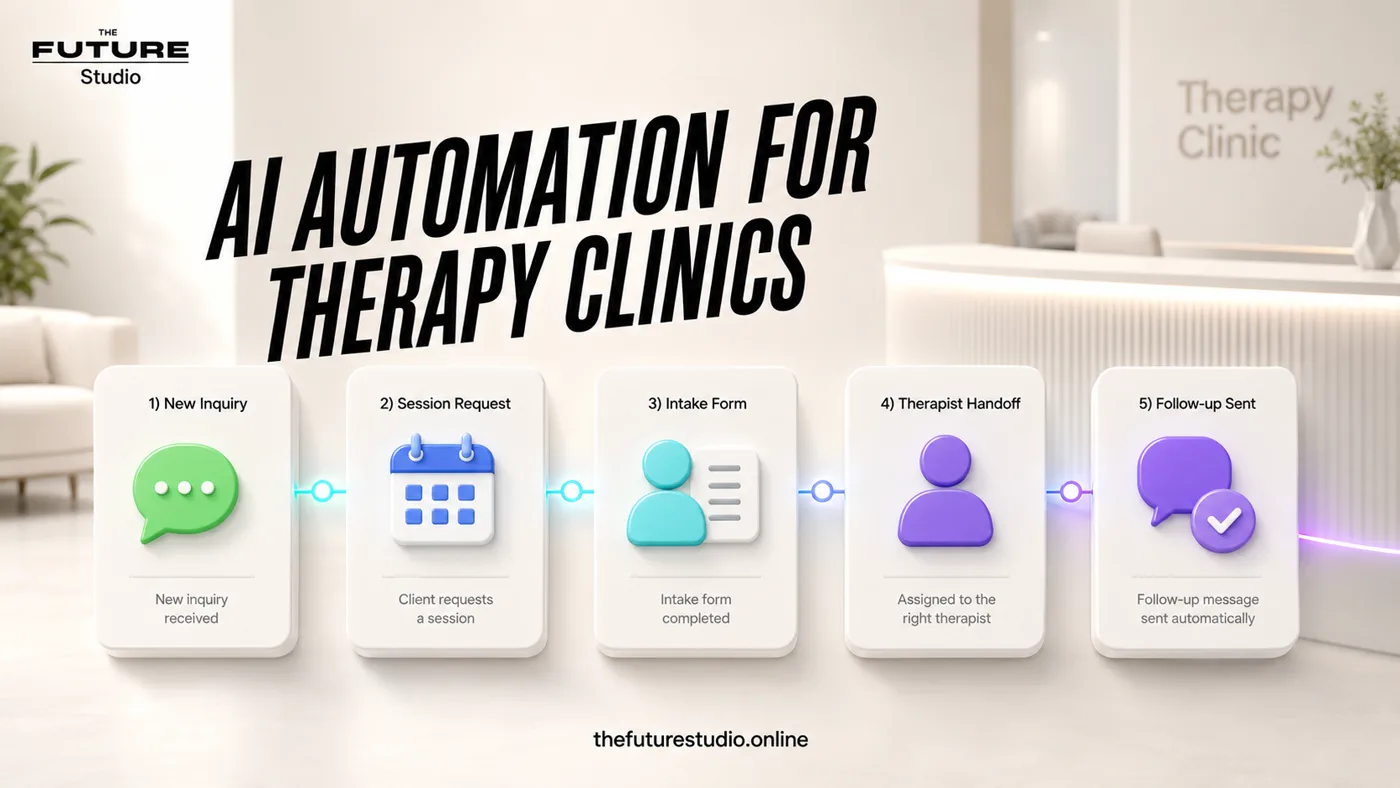
Fast replies with human boundaries
Use AI for admin intake, scheduling and reminders while keeping clinical judgment with people.
Inquiry sequence
How an AI receptionist handles a therapy inquiry
1. Acknowledge without counselling. Confirm that the practice received the message and explain when a person will review it.
2. Collect only administrative context. Ask for the requested service, new or returning client status, preferred time, contact route and language. Do not ask for a detailed personal history.
3. Choose the approved next step. Offer an appointment request, waitlist option or staff callback according to the practice's rules.
4. Stop when professional judgment is needed. Label the reason for handoff, alert the correct person and preserve the conversation so the client does not need to repeat it.
Boundaries
What the system must hand off
Any message involving crisis, self-harm, immediate danger, abuse, urgent symptoms, medication, diagnosis, or emotional counseling should move to the therapist's approved human process.
The AI can acknowledge the request and explain that the team will follow up. It should not improvise sensitive guidance or pretend to understand the client's situation.
These boundaries make the system more trustworthy, because the automation supports administration rather than replacing care.
Workflow
The first therapist receptionist flow
Start with new inquiry, preferred service, new or returning client, preferred time, contact confirmation, booking request, staff summary, and reminder.
If the practice allows direct booking, connect only approved appointment slots. If the therapist reviews requests first, use a request-and-confirm model with a clean summary.
After that works, add missed-call follow-up, waitlist messages, bilingual scripts, and recurring reminders.
Operating rules
Make the receptionist feel safe, not clinical
The therapist version needs stronger boundaries than a normal booking assistant. It should never ask probing therapeutic questions, interpret emotional language, or suggest what type of care someone needs. Its job is to collect enough administrative context for the practice to respond well.
The most useful implementation detail is the handoff summary. Staff should see the requested service, preferred time, new or returning client status, contact route, language preference, and any reason the AI stopped. That makes the automation feel supportive instead of intrusive.
Success should be measured by response time, completed intake requests, booked consultations, after-hours inquiries recovered, and the percentage of sensitive messages routed to a person without the AI continuing.
Practice design
Solo therapist and group-practice workflows are different
A solo therapist usually needs a cautious request-and-confirm flow: acknowledge the inquiry, collect scheduling details, protect session time and create one clear callback task.
A group practice may also need practitioner matching by approved service, language, location, availability or age group. The system can organize those fields, but staff should approve any match that depends on clinical suitability.
Both versions need a visible owner, response-time target, backup contact and written rule for what happens when nobody accepts a handoff.
Implementation
Build the receptionist around the practice's rules
The Future Studio maps the channels, approved questions, booking rules, language needs, staff roles, and exact moments where a person must take control.
For a therapy practice, the first release should stay administrative: acknowledge the inquiry, collect only useful scheduling context, prepare a concise staff summary, and stop immediately when the message requires professional judgment.
Measure response time, completed intake requests, booked consultations, after-hours inquiries recovered, and sensitive handoffs. Those signals show whether the workflow is helping without crossing clinical boundaries.
FAQ
Common questions
Can therapists use an AI receptionist?
Yes, when it is limited to safe administrative intake, appointment requests, scheduling, reminders, FAQs, and human handoff.
Should the AI answer therapy questions?
No. Therapy, risk assessment, diagnosis, crisis support, and clinical advice should stay with licensed professionals.
Can it work after hours?
Yes. It can capture the request, explain next steps, and alert the team without giving therapy advice or pretending to provide care.
What should an AI receptionist for therapists hand off immediately?
It should hand off crisis language, self-harm, abuse, urgent symptoms, medication questions, diagnosis questions, therapy guidance, or any message that needs licensed professional judgment.
Can it work in English and Spanish?
Yes, with approved bilingual scripts and clear handoff rules.
Related pages
Explore the related cluster
Next step
Map the first workflow that needs to work
Book a free AI systems demo with The Future Studio. We will map the workflow, the boundaries, and the smallest useful system to build first.