clinic front desk automation
AI Front Desk for Clinics
An AI front desk for clinics should make the first step easier for patients and staff. It can answer routine administrative questions, collect appointment details, route requests, and create cleaner follow-up without replacing the clinic team.
Recommended path
Connect this need to the right system
Compare the related workflows, services, and examples to choose the most useful next step.
Worked example
A single reception queue
Illustrative workflow to review with your team; not a client result.
From request to action
- TriggerCalls, chat messages and web forms reach different people.
- Required informationCollect the source channel, administrative request and preferred reply route. Link matching enquiries only when identity is sufficiently clear.
- Rule and ownerSend appointment requests to the scheduling owner and unresolved or sensitive questions to the designated staff queue.
Example record
Queue item: source; request; contact preference; appointment route; exception flag; staff owner; next action.
A unified queue must not expose clinical notes to people who do not need them.
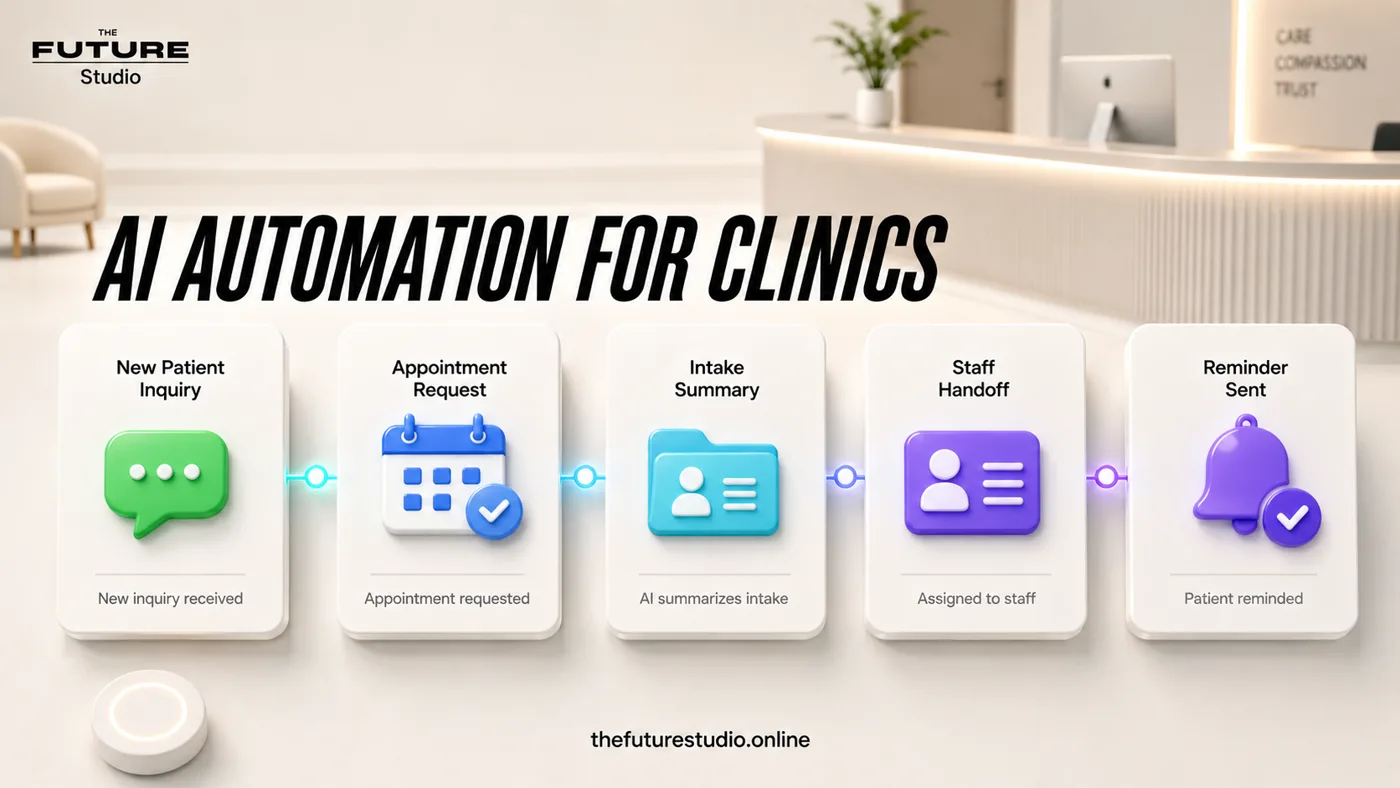
A cleaner first response
Turn scattered calls, chats and forms into organized appointment requests.
Narrow task
What an AI front desk actually does
Clinic front desk work is a mix of urgent human judgment and repeatable administration. The repeatable part is where AI can help: first response, appointment request capture, reminders, routing, and internal summaries.
The system should be designed around the clinic's real rules. It should know when to answer, when to ask a short question, and when to stop and notify staff.
A good front desk workflow is not a chatbot floating on the site. It is a connected path between phone, WhatsApp, website forms, calendar, CRM, and the team.
Safety
Keep clinical decisions out of the automation
The AI front desk can support scheduling and administration. It should not diagnose, prescribe, evaluate symptoms, or decide whether a patient has an emergency.
Approved wording matters. Staff should know what the AI says, what details it collects, and which messages trigger human escalation.
That makes the experience safer for patients and more useful for the clinic.
Workflow
A practical clinic front desk path
Begin with new inquiry, reason for visit, new or returning patient, contact confirmation, preferred time, language preference, and next step.
Then route the request to direct booking, staff confirmation, CRM update, or urgent human handoff depending on the clinic's process.
Once that is stable, add reminders, reschedules, missed calls, and reporting.
Operating rules
Design it around the front desk's actual day
A clinic front desk is not one workflow. It is new inquiries, booking changes, reminders, directions, pricing questions, insurance questions, staff interruptions, and messages that should be escalated. The AI front desk should start with the repeatable parts and leave judgment with the team.
The first build should separate requests into simple buckets: appointment request, existing appointment, admin question, billing or insurance, staff review, and urgent handoff. Each bucket needs a different next step and a different internal summary.
The best signals to watch are unresolved messages, time to first response, staff handoffs, appointment requests, and how many conversations arrive with enough information for the team to act immediately.
Example workflow
How this works in a real business
The useful example is not a long chatbot script. It is a short path where the customer states the need, the system validates request type, patient status, preferred appointment time, contact details, channel source, language, owner, and next action, and the team receives a usable request.
Handoff triggers on urgent symptoms, billing disputes, medical questions, privacy issues, unclear service requests, and any message outside approved admin rules. That rule prevents improvised answers and keeps the experience inside approved boundaries.
The launch version should be a front desk router that separates appointment requests, admin questions, staff review, reminders, and urgent handoffs. After it works, the business can add more sources, routing rules, and reporting from real data.
FAQ
Common questions
Is an AI front desk the same as an AI receptionist?
They overlap. An AI front desk is usually broader, connecting intake, routing, reminders, CRM and staff alerts.
Can it book appointments?
Yes, if the clinic has approved rules and available booking paths.
Can it answer medical questions?
It should only answer approved administrative questions and hand off clinical concerns.
What channel should it start with?
Usually WhatsApp, phone follow-up, or the website form, depending on where most inquiries arrive.
Related pages
Explore the related cluster
Next step
Map the first workflow that needs to work
Book a free AI systems demo with The Future Studio. We will map the workflow, the boundaries, and the smallest useful system to build first.