safe intake guide
AI Receptionist for Therapy Clinics
An AI receptionist for therapy clinics can help with the administrative pressure around new inquiries, appointment requests, reminders, reschedules, and staff handoff. The important rule is simple: the system should support front desk communication, not provide therapy, crisis support, diagnosis, clinical judgment, or emotional counseling.
Support the first response
Use AI for routine intake, routing, reminders, and summaries while keeping sensitive decisions with trained people.
What this page covers
Build the receptionist around boundaries first
The safest therapy clinic automation starts by deciding what the AI can answer, what it can collect, and when it must stop and hand off to a person.
Search intent
Why Therapy Clinics Look for AI Receptionists
Therapy practices often lose time before the first appointment even happens. New client inquiries arrive through phone calls, WhatsApp, website forms, email, social media, and referrals. Staff need to answer quickly, explain availability, collect contact details, identify the requested service, and route the person to the right next step.
That work is important, but it is repetitive. When a receptionist or coordinator is already managing appointments, client questions, practitioner calendars, cancellations, payments, and follow-up, new inquiries can wait too long.
An AI receptionist helps when it is designed as a front desk support layer. It can acknowledge the inquiry, ask approved administrative questions, offer the next booking step, send reminders, and summarize the request for the team.
Safety boundary
What the AI Should Not Do
A therapy clinic AI receptionist should not act like a therapist. It should not provide counseling, make clinical recommendations, assess risk, diagnose, interpret symptoms, or respond to crisis messages as if it is a licensed professional.
If a message suggests immediate danger, self-harm, abuse, crisis, urgent clinical risk, or another sensitive escalation, the workflow should stop and follow the clinic's approved emergency or human handoff process.
This boundary is not a weakness. It is what makes the system more useful. The AI handles administrative friction so the clinic team can focus on human care.
Workflow
What a Safe Intake Flow Can Include
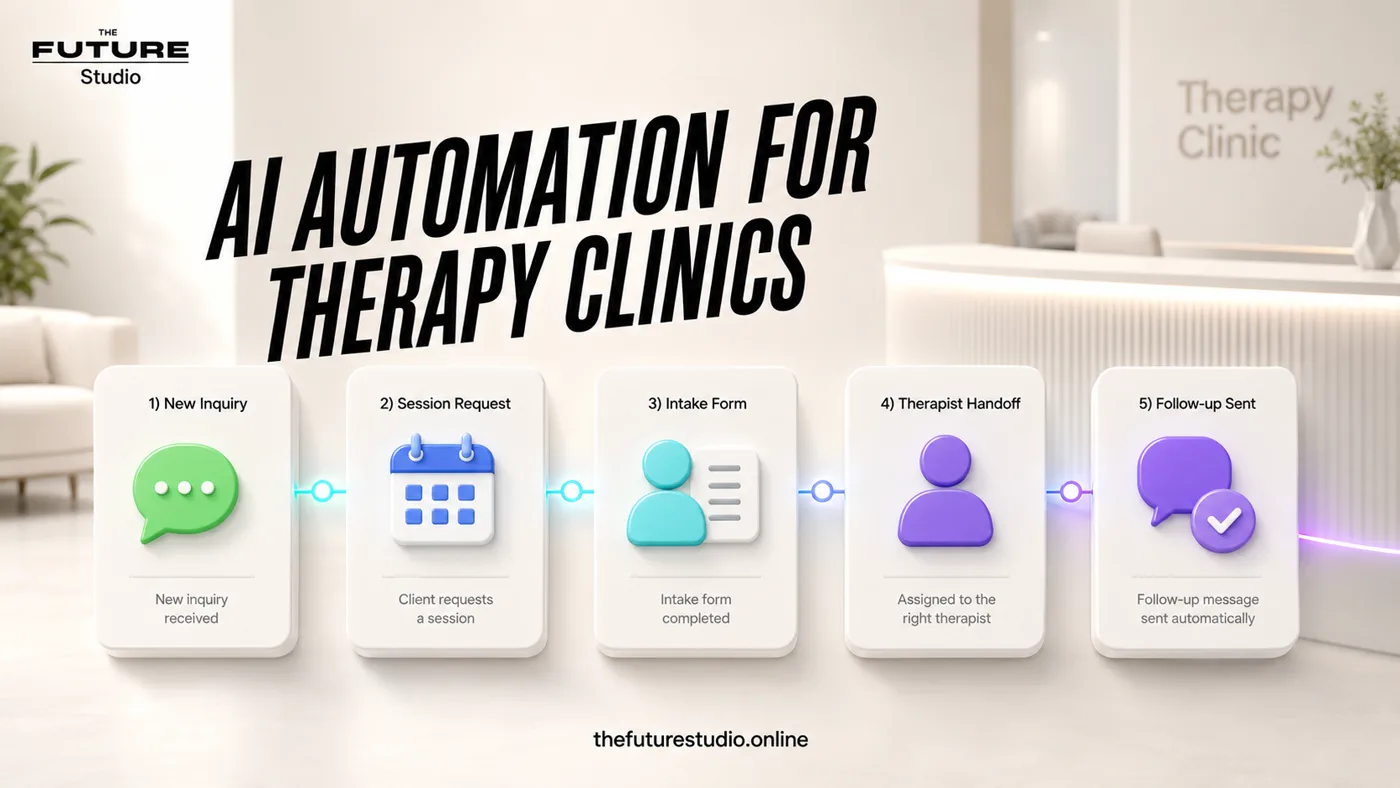
A practical intake workflow can start with the basics: name, contact details, preferred language, new or returning client status, requested service, preferred appointment time, practitioner preference, and whether the person wants staff to follow up.
The system can answer approved questions about hours, location, booking steps, session format, accepted next steps, cancellation rules, and what happens after a request is submitted.
It can then send the clinic a short internal summary so staff do not have to reconstruct the conversation from scattered messages.
- First response to missed calls, WhatsApp messages, and web forms
- Appointment request collection without over-collecting sensitive details
- Booking links or request-and-confirm scheduling
- Reminders and reschedule requests
- Internal summaries for the right practitioner or coordinator
- Human handoff for sensitive, unclear, or urgent conversations
Bilingual care
English and Spanish Intake
Many clinics in Panama and international markets need bilingual intake. A receptionist workflow can support English and Spanish without forcing staff to manually translate every first message.
The key is to use approved wording in both languages. The AI should not improvise sensitive advice. It should keep replies simple, administrative, and aligned with the clinic's real process.
For clinics that rely on WhatsApp, bilingual automation can be especially useful for first response, appointment requests, reminders, and follow-up.
Build path
The First Workflow to Automate
The best first workflow is usually not a full AI front desk. It is one clear, high-friction path: new client inquiry, session request, reminder, reschedule, or waitlist follow-up.
Start by mapping what staff currently ask, what information is actually needed, which answers are approved, which topics are off limits, and when a human must take over.
Then test realistic messages before connecting the system to live WhatsApp, phone, website, calendar, CRM, or email alerts.
Proof of process
The clinic should see the workflow before it goes live
Before building, we map how the inquiry arrives, what the AI can safely collect, when booking happens, what summary staff receive, and where human handoff is required.
FAQ
Common questions
Can an AI receptionist be used safely by a therapy clinic?
Yes, if it is limited to administrative support, approved answers, appointment requests, reminders, routing, and human handoff. It should not provide therapy, assess risk, diagnose, or replace licensed professionals.
What should a therapy clinic AI receptionist collect?
It should collect only the details needed for administrative next steps, such as name, contact details, service request, preferred time, new or returning client status, language preference, and whether staff should follow up.
Should an AI receptionist handle crisis messages?
No. Messages that mention crisis, self-harm, immediate danger, abuse, or urgent clinical risk should follow the clinic's approved emergency and human escalation process.
Can the workflow work in English and Spanish?
Yes. A bilingual workflow can support English and Spanish intake, WhatsApp messages, appointment requests, reminders, and internal summaries when the scripts and handoff rules are approved by the clinic.
Related pages
Explore the clinic automation cluster
Next step
Map a safe first-response workflow
Book a free AI systems demo with The Future Studio. We will map the first therapy clinic workflow that can reduce admin pressure while keeping sensitive decisions with people.