clinic WhatsApp guide
WhatsApp
Automation
for Clinics
in Panama
WhatsApp automation for clinics in Panama can reduce response time, capture cleaner appointment requests, and keep staff focused on the conversations that need a person. The goal is not to make patient communication robotic. The goal is to make the first response, intake, booking, reminders, and handoff more reliable.
Recommended path
Connect this guide to the right system
Compare the related workflows, services, and examples to choose the most useful next step.
Worked example
Approved WhatsApp questions for reception
Illustrative workflow to review with your team; not a client result.
From request to action
- TriggerA patient asks about clinic hours or arranging an appointment.
- Required informationAnswer from published administrative information. Ask for contact preference, appointment request and a suitable time without collecting a medical history in chat.
- Rule and ownerUse the approved secure route when sensitive information is needed. Route clinical or urgent questions to staff under clinic policy.
Example record
Chat summary: approved answer supplied; appointment request; preferred callback; language; staff handoff reason.
A WhatsApp message is not a private clinical consultation or a confirmed appointment.
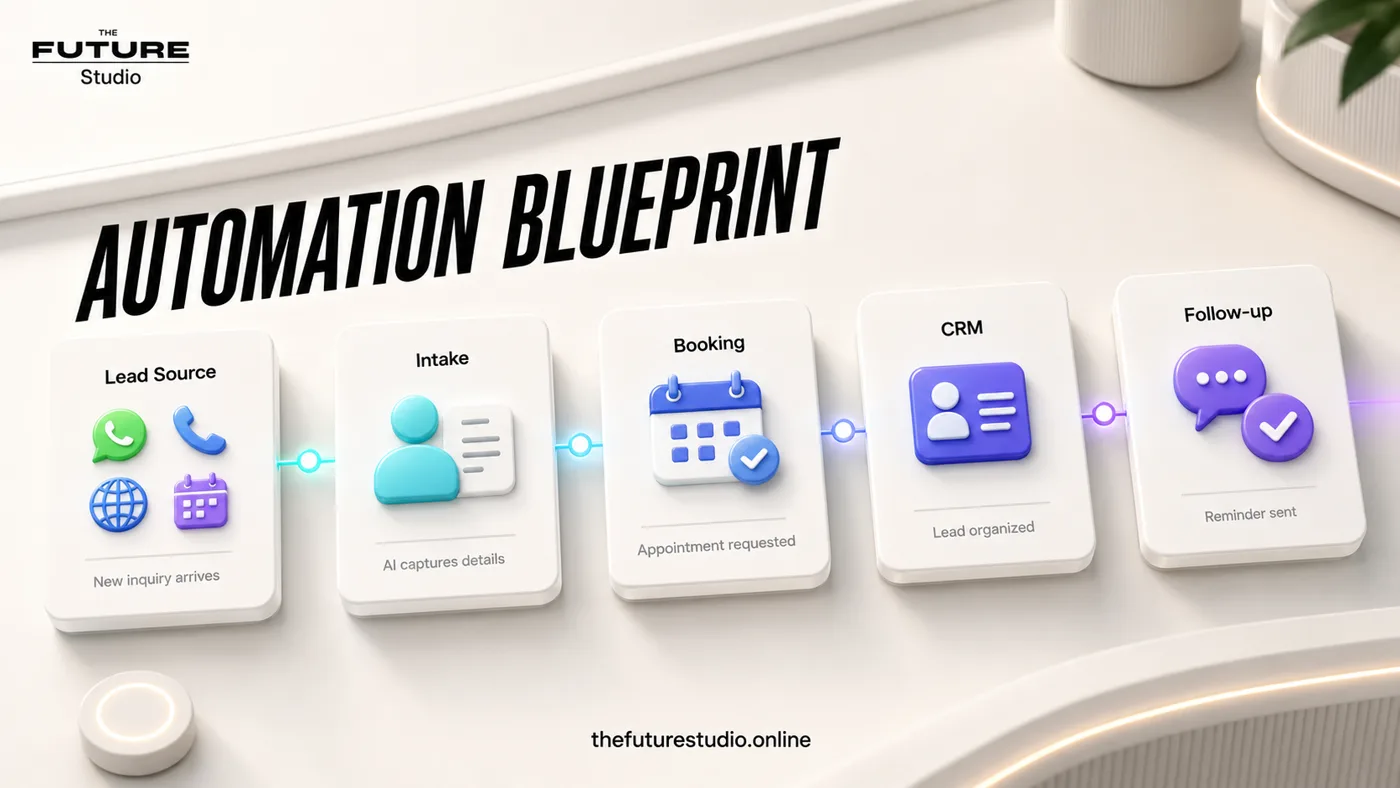
Reply before the lead cools
Use WhatsApp for first response, appointment requests, reminders, and clean staff summaries.
Narrow task
Why clinics need a dedicated WhatsApp workflow
Clinics often receive patient questions through WhatsApp before anyone fills in a form or calls the office. A patient may ask about appointment availability, location, cost range, preparation steps, insurance, documents, or whether they can speak with the clinic team.
When those messages sit unanswered, the clinic loses trust and the patient may contact another provider. When staff answer manually all day, the clinic loses time. A practical WhatsApp workflow sits between those two problems.
The automation should acknowledge the message, collect only the details needed for the next step, answer approved administrative questions, and send the conversation to staff when a human decision is needed.
Clinic boundaries
What WhatsApp automation should and should not answer
A clinic WhatsApp system should support administration. It can help with appointment requests, reminders, reschedules, location details, preparation instructions, accepted next steps, and staff routing.
It should not diagnose, provide medical advice, assess urgent symptoms, replace a licensed professional, or promise availability that has not been confirmed. Urgent, sensitive, or unclear messages should move to the clinic's approved human process.
That boundary is especially important for dental clinics, therapy clinics, med spas, and any business where a client may describe symptoms, anxiety, pain, medication, or personal concerns.
Workflow
A practical clinic WhatsApp automation flow
The first workflow should be simple: new message, approved greeting, reason for visit, new or returning patient status, preferred time, contact detail confirmation, appointment request, staff summary, and reminder.
If the clinic allows direct booking, the system can connect to a calendar. If staff need to approve appointments first, the system can collect the request and send a clean summary for confirmation.
For Panama and international clinics, the same workflow can support English and Spanish messages with approved wording in both languages.
Build path
How to start without overbuilding
Start with one channel and one outcome. For most clinics, that means WhatsApp appointment requests or missed-message follow-up.
Map the exact questions staff already ask. Remove anything that is not required for the next administrative step. Then write approved replies for common questions and clear handoff rules for anything sensitive.
After the first workflow is stable, connect reminders, CRM updates, reporting, and other channels like phone calls or website forms.
FAQ
Common questions
Can WhatsApp automation book clinic appointments?
Yes. It can collect appointment requests, share booking links, connect to a calendar, or send requests to staff for confirmation depending on the clinic's process.
Is WhatsApp automation safe for clinics?
It can be safe when it is limited to administrative support, approved wording, and clear human handoff. It should not provide medical, dental, therapy, or legal advice.
Can the workflow work in English and Spanish?
Yes. The system can use approved English and Spanish scripts for first response, intake, reminders, and internal summaries.
Can this workflow support clinics in different markets?
Yes. The operating model can adapt its language, hours, handoff rules, and approved administrative responses for each market.
Related pages
Explore the clinic automation cluster
Next step
Map the first workflow that needs to work
Book a free AI systems demo with The Future Studio. We will map the workflow, the boundaries, and the smallest system that can create real impact.