WhatsApp booking
WhatsApp Booking Automation
WhatsApp Booking Automation should solve one concrete problem: the customer is ready to choose a time, but the business sends too many manual messages before confirming the appointment. It is designed for businesses that book appointments, consultations, demos, reservations, classes, or service visits through WhatsApp, with clear rules for what the workflow captures, when people take over, and how success is measured.
Recommended path
Connect this need to the right system
Compare the related workflows, services, and examples to choose the most useful next step.
Worked example
A message is a request until the slot is held
Illustrative workflow to review with your team; not a client result.
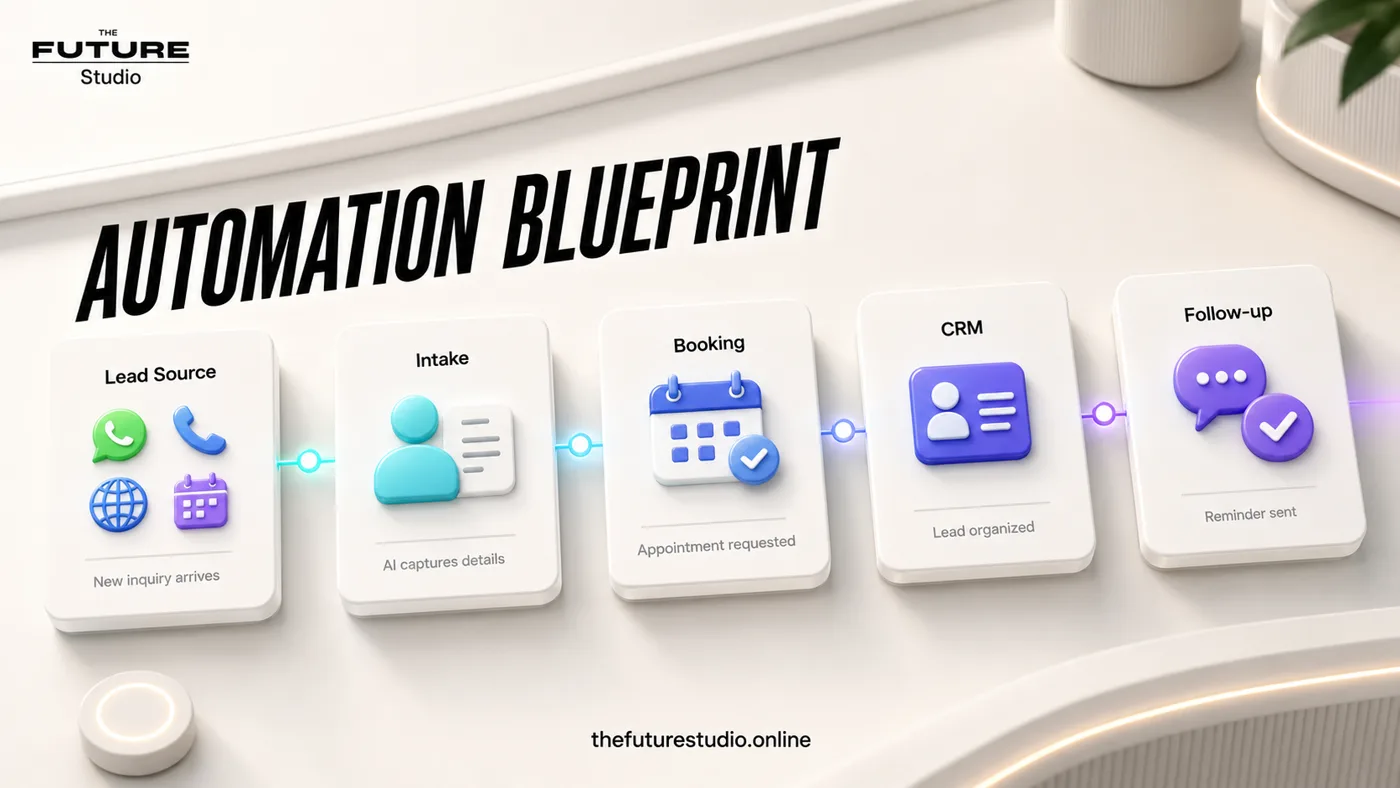
From request to action
- TriggerA customer asks for a booking over WhatsApp.
- Required informationCollect the service, preferred time and necessary contact details. Check the designated calendar rather than treating the requested time as available.
- Rule and ownerConfirm only after the booking source succeeds. Offer the approved change/cancel route and assign calendar errors to staff.
Example record
Booking handoff: service; requested slot; calendar response; booking reference if confirmed; reminder state; owner.
Do not send a confirmation when the calendar has only returned an availability suggestion.
Book from the chat
Move from message to appointment with fewer manual steps.
Use case
Who the workflow is for
WhatsApp Booking Automation is written for businesses that book appointments, consultations, demos, reservations, classes, or service visits through WhatsApp. The workflow addresses a specific operating problem.
Many customers prefer booking inside the same channel where they asked the question. In practice, the issue is that the customer is ready to choose a time, but the business sends too many manual messages before confirming the appointment. That is why the content focuses on the working process, not generic AI claims.
Data
What the workflow should capture
The first system should capture service type, preferred day, preferred time, timezone or location, contact details, and confirmation preference. Those details should become a clear next action instead of staying trapped in calls, chats, inboxes, or staff memory.
The workflow also needs an operating trail: who owns the request, what has already been confirmed, what is due next, and what the customer should expect.
Handoff
Where people should stay in control
Human handoff should trigger on custom appointments, unavailable slots, deposits, cancellations, special requests, and any booking outside standard rules. The workflow should only confirm appointments when business rules allow it.
This keeps the automation useful without making it reckless. AI handles speed, structure, reminders, and summaries; people keep judgment, trust, and sensitive decisions.
First build
What to build first
The first version should be a guided request flow with approved slots or a booking link, plus confirmation and reminder messages. A focused scope makes it possible to launch, measure, and improve without overbuilding.
Success should be measured through booking starts, bookings confirmed, abandoned requests, reschedules, and reminder replies. The workflow should also avoid forcing customers out of WhatsApp unless the booking link is the cleanest step, because a fast automation that damages the customer experience is not a win.
Example workflow
How this works in a real business
A practical version starts when a real inquiry arrives on the main channel. The system recognizes the request as relevant for businesses that book appointments, consultations, demos, reservations, classes, or service visits through WhatsApp and asks only for service type, preferred day, preferred time, timezone or location, contact details, and confirmation preference.
When the conversation contains custom appointments, unavailable slots, deposits, cancellations, special requests, and any booking outside standard rules, the automated path stops. The system prepares the context, labels the reason for handoff, and alerts the right owner.
The first release stays narrow: a guided request flow with approved slots or a booking link, plus confirmation and reminder messages. That gives the business proof before adding heavier CRM logic, reports, or more channels.
FAQ
Common questions
Who is whatsapp booking automation for?
It is for businesses that book appointments, consultations, demos, reservations, classes, or service visits through WhatsApp.
What should the first workflow collect?
It should start by capturing service type, preferred day, preferred time, timezone or location, contact details, and confirmation preference.
When should a person take over?
A person should take over when the conversation involves custom appointments, unavailable slots, deposits, cancellations, special requests, and any booking outside standard rules.
How should success be measured?
Measure booking starts, bookings confirmed, abandoned requests, reschedules, and reminder replies, not just how many automated messages were sent.
What makes this workflow useful?
It solves a defined operating problem, collects the details the team needs, and produces a clear next action.
Related pages
Explore the related cluster
Next step
Map the first workflow that needs to work
Book a free AI systems demo with The Future Studio. We will map the workflow, the boundaries, and the smallest useful system to build first.